
Who I build for

Web design for B2B software companies

Two kinds of buyer land on your site. Each should find their page in one scroll.

I build sites for software companies that sell to businesses: routing by role, product pages in the customer’s words, and a news and insights library your own staff can maintain without calling anyone.

How B2B software buyers actually use your site

They rarely arrive cold. Somebody at a conference mentioned you, or a colleague forwarded a name, and now they’re on your homepage doing diligence with a specific question: does this company do the thing I need, for a company like mine, and are they still around.

So the visit is about routing and validation. Which product is mine. What does it actually do, in words I’d use. Who else in my role uses it. And a quieter check: is there a news page with something on it from this quarter, or a podcast that stopped two years ago.

The same diligence is starting to run through AI tools, where someone asks which vendors handle a problem and gets a summary built from whatever the tools could read. A site whose product pages say plainly what each product does, and whose library is organized rather than a single endless feed, is the one that gets described accurately.

A diagram of one website routing two kinds of buyer from the homepage to their own product pages, with a shared library of news, podcasts and insights beneath. Home Products for role A product product product Products for role B product product product News, podcasts, insights filtered by type and by audience
Each buyer finds their side in one scroll. The library is shared.

Three things a B2B software site has to do

Route by role from the first screen. If you sell to two or three different kinds of customer, the homepage’s job is to send each one to their side of the site immediately. One site, not several; separate sites split your search authority and double the upkeep.

Say what the product does, on its own page. One page per product, written in the customer’s words rather than the feature list’s, with a demo or contact path on every one. A page that links to the writing about that product does double duty.

Keep the library alive without a developer. News, podcasts and insights in one place, filtered by type and by audience, each item at a stable address, in an editor your own team can use. Migrated from your old site without losing the URLs you’ve earned.
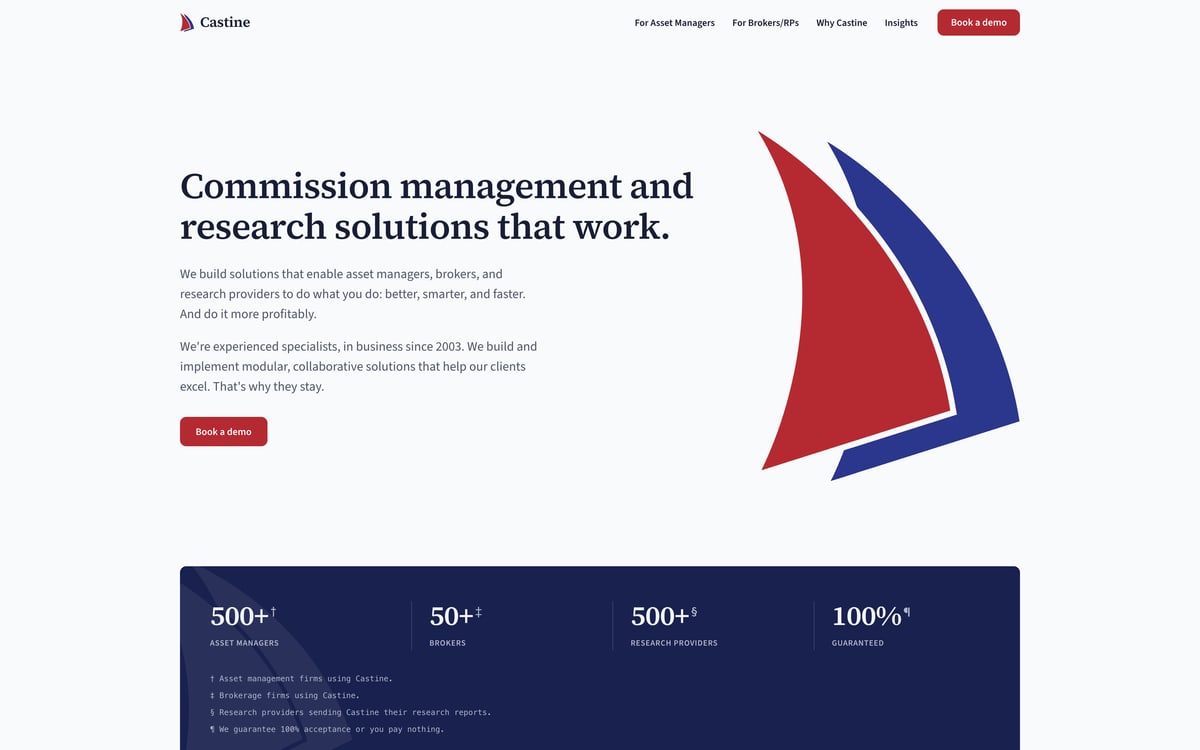
The rebuilt Castine website: a light page with a serif headline, a short introduction and a Book a demo button beside the red and blue sail mark, above a dark band of client numbers.

I built this for a fintech software company. Here’s what it took.

A software firm selling to two very different readers, asset managers on one side and brokers on the other, had a WordPress site that gave both the same page, and a news feed and a podcast page that nobody could filter. The first phase was a full working mockup their team reviewed page by page. It closed with a 5.0 review, and its president wrote: “All goals were met, on-time and on-budget. David proposed different options at points in the process; they were spot-on and made for a better outcome. Recommend without hesitation.” The rebuild that followed runs on Astro and Cloudflare with a real CMS behind it, so their staff edit in an editor built for the job. Sixty-eight items, twenty-four posts, sixteen press releases and twenty-eight podcast episodes, migrated at their original addresses with their own images re-hosted. An insights section that filters by type and by audience. Ten product pages, each linked to the writing about it. It went live on their own domain in October, and the full case study is on the Work page.

See the rebuild

Questions, answered straight.

Our blog has years of posts on WordPress. Do we lose the URLs when we move?
No, and that’s the first thing I check. Every post keeps its exact address on the new site where that’s possible, and everything else gets a one-to-one redirect built from your old sitemap before cutover. Losing URLs is a choice, not a consequence of moving.
Who edits the site after launch, us or you?
You. A CMS your staff can actually use is the deliverable, not a courtesy, and editor training is part of go-live. Your plan also includes about an hour of changes a month, for anything you’d rather hand to me.
We sell to a few different kinds of customer. Should we have separate sites?
Almost never. One site that routes each customer to their own section from the first scroll gives every visitor a clear path and keeps your search authority in one place. Separate sites usually end with one of them abandoned.
Our IT team will run a security review on any vendor. Will you pass it?
Send it over. I run IT and security for a living, and I’ll answer the questionnaire myself. The builds are static on Cloudflare with no plugin surface to patch, and I’ll say plainly where anything sits, including your form provider.

Not ready for a quote?

Send me your current site and I will tell you straight what I would do with it. What is working, what is costing you customers, and whether a rebuild is even worth it. Free, no obligation, and you keep the answer either way.

Send me your site

Start your project

Get a quote for your site